Online training with a clear view of learner progress.
Give learners one place to access their courses and continue learning. Cumulus’s LMS combines browser-based course delivery with built-in xAPI learning records, giving administrators the tools to manage their catalogue and understand each learner’s progress.
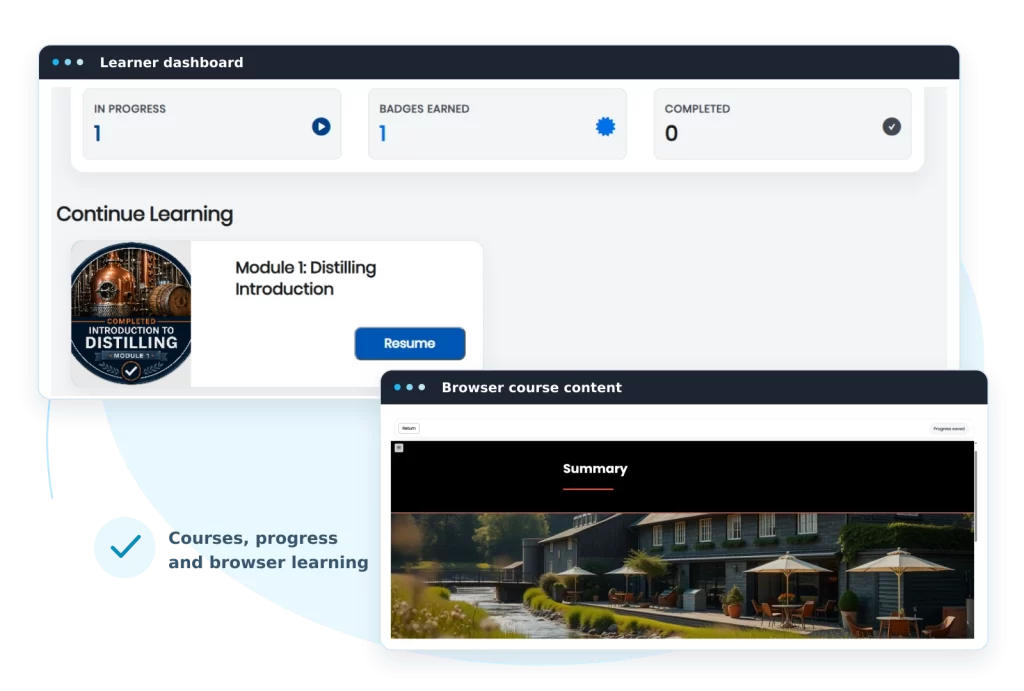
Learners can find their courses, return to learning in progress and see their recorded achievements.
Progress that carries forward
Saved learning state lets learners return to supported content and continue where they left off.
An organised course catalogue
Manage products, courses and reusable learning units, with a unit sequence set for each course.
Records for learner support
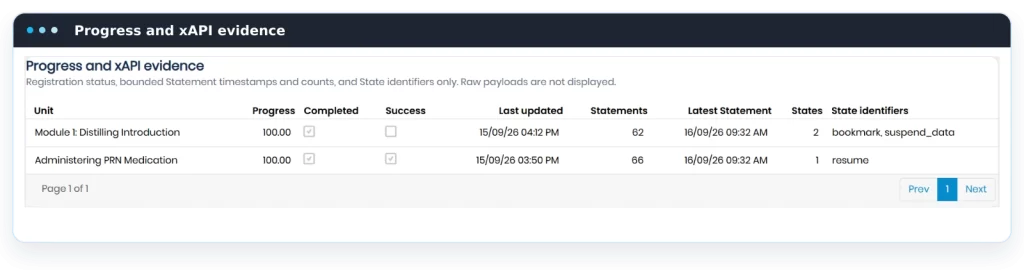
Review learner-linked progress and learning evidence when access or completion needs attention.
A clear path through every course
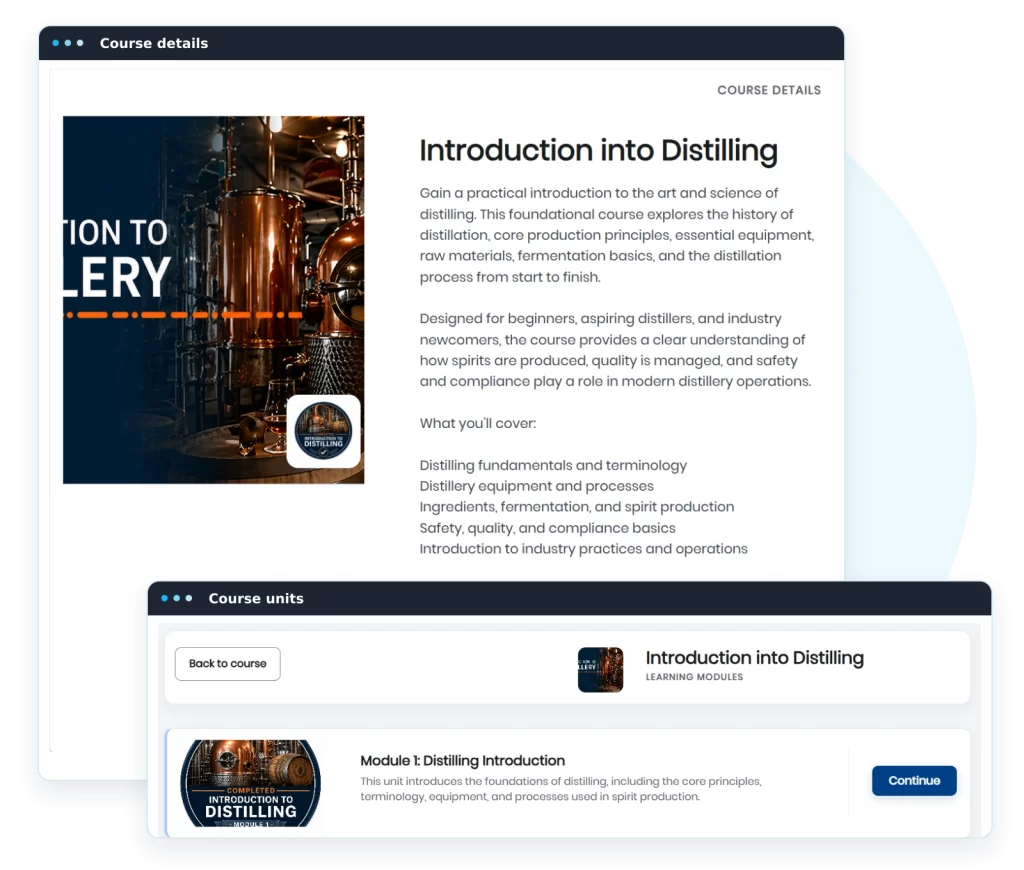
Help learners find their next step. Their personal dashboard brings enrolled courses and learning in progress together, while each course outline provides a clear way to open its learning units.
Access enrolled courses from a personal dashboard.
Open interactive Rise and Storyline content in the browser.
Return to learning using saved progress.
See recorded progress and completion information.
View achievements with a badge and completion date.
Manage courses and support your learners
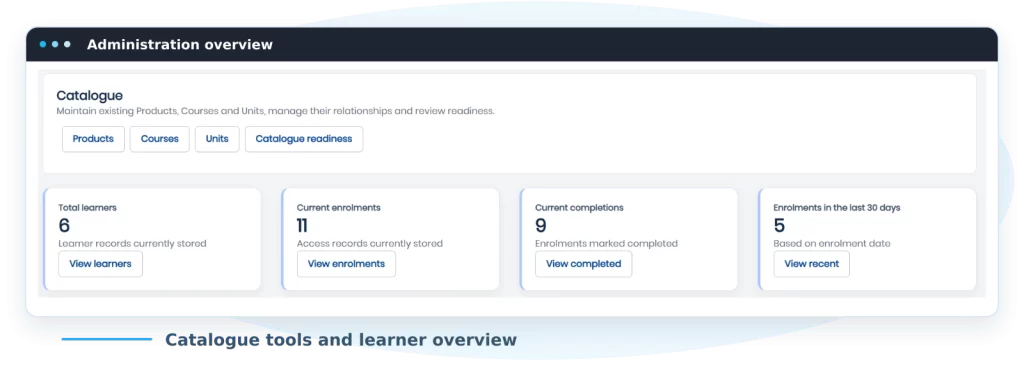
Keep day-to-day learning administration in one place. An operational dashboard shows learner and enrolment counts, completions and recent recorded activity. From there, your team can review individual learners or maintain the course catalogue.
Find learners using identity, course, status and date filters.
Review enrolments, progress and learning evidence to investigate learner questions.
Maintain products, courses and learning units, including which course relationships are active.
Reuse learning units and set their order independently within each course.
Spot missing course paths, ordering issues and content configuration warnings with catalogue readiness checks.
Learning records built into the experience
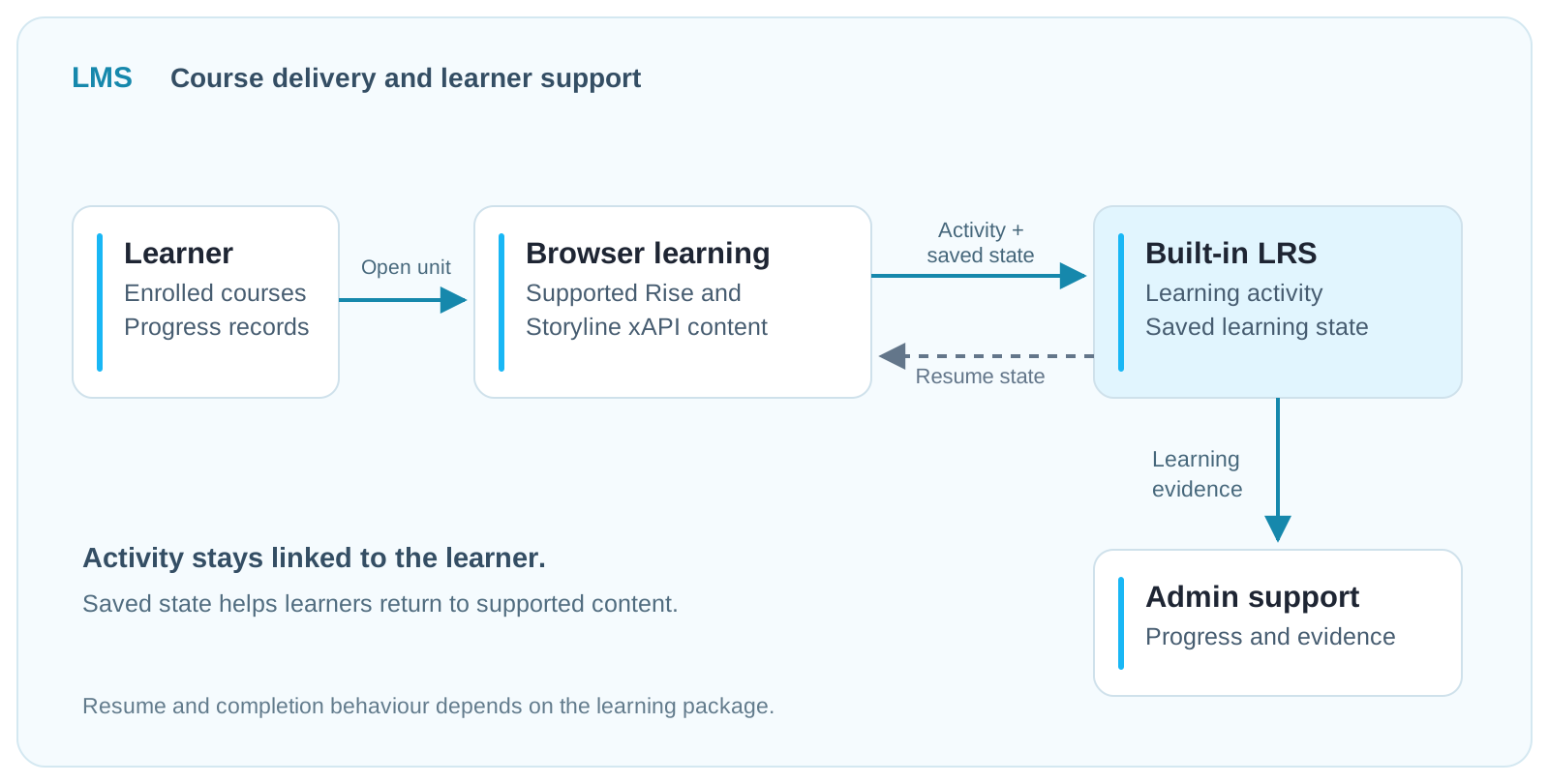
The LMS includes a Learning Record Store (LRS) that captures supported xAPI activity and saved learning state. These records connect activity from course content to the authenticated learner, supporting progress tracking and return visits.
Use your Rise and Storyline content
Deliver supported xAPI packages directly in the browser. Cumulus can review representative packages with you as part of the setup discussion.
Keep activity linked to each learner
Record the learning activity reported by the content alongside saved state and completion information. Administrators can use this evidence to investigate progress and completion questions.
For workplace learning and course delivery
Businesses
Give staff one place for onboarding and role-specific learning. Keep recorded progress and completion information linked to each learner so your team can follow up when needed.
Course providers
Organise programmes into courses and learning units, give learners a clear way to work through content and support them when access or progress needs attention.
Frequently asked questions
What is the difference between the LMS and the LRS? The LMS provides the course catalogue, learner experience and administration tools. The Learning Record Store captures supported xAPI activity and saved state from the course content. Together, they support course delivery and learner progress tracking.
Can we use our existing Rise or Storyline content? The LMS plays supported xAPI packages from Rise and Storyline. Share representative packages during the demo and scoping process so we can confirm compatibility with your content.
Can learners continue where they left off? Yes. Supported content can save learning state so learners can reopen it and resume. The exact resume and completion behaviour depends on how the learning package is configured.
How do we get started? Request a demo and tell us about your audience and course content. We’ll walk through the LMS and discuss the setup and requirements for your organisation.
See how the LMS could work for your organisation
Tell us who you train and what you want to deliver. We’ll arrange a walkthrough of the learner and administration experience, then discuss your requirements and a tailored proposal.